


 Front End Development
 Back End Development
 CMS / ECommerce Development
 Mobile Apps Development
 Cloud Services
 Fullstack Services
 Solution


How to Create an Educational App: Features, Cost & Development Process
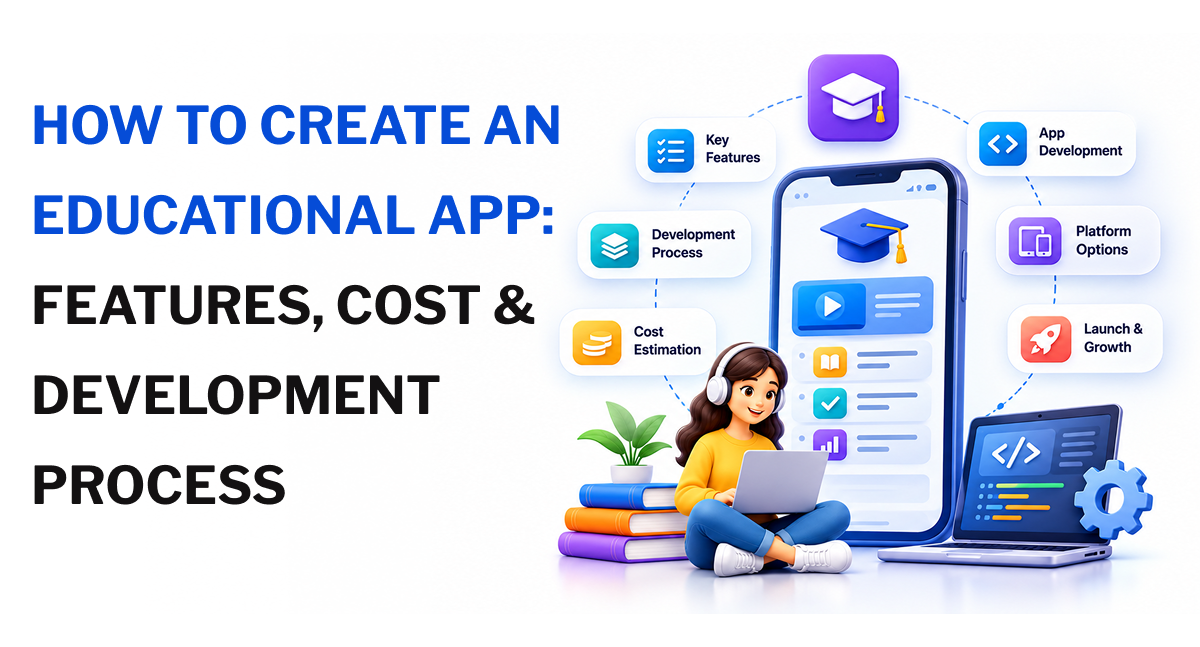
Creating an educational app involves choosing a learning model, identifying the target audience, defining essential features, selecting the right technology stack, and developing an application that supports how people learn. The educational app development process also includes UI/UX design, backend development, testing, deployment, and ongoing maintenance. According to Grand View Research's global e-learning services market forecast, the market is estimated to reach $417.1 billion in 2026 and is projected to reach $1.485 trillion by 2033, growing at a CAGR of 19.9%.
These figures represent the wider e-learning services market, not educational apps alone. For businesses planning an education application, development costs can start around $5,000 for a basic product and exceed $25,000 for an advanced platform, depending on features, integrations, supported platforms, and technical complexity.
This guide explains how to create an educational app, covering the development process, app types, essential features, estimated costs, and technology choices.
Decide What Type of Educational App You Want to Build
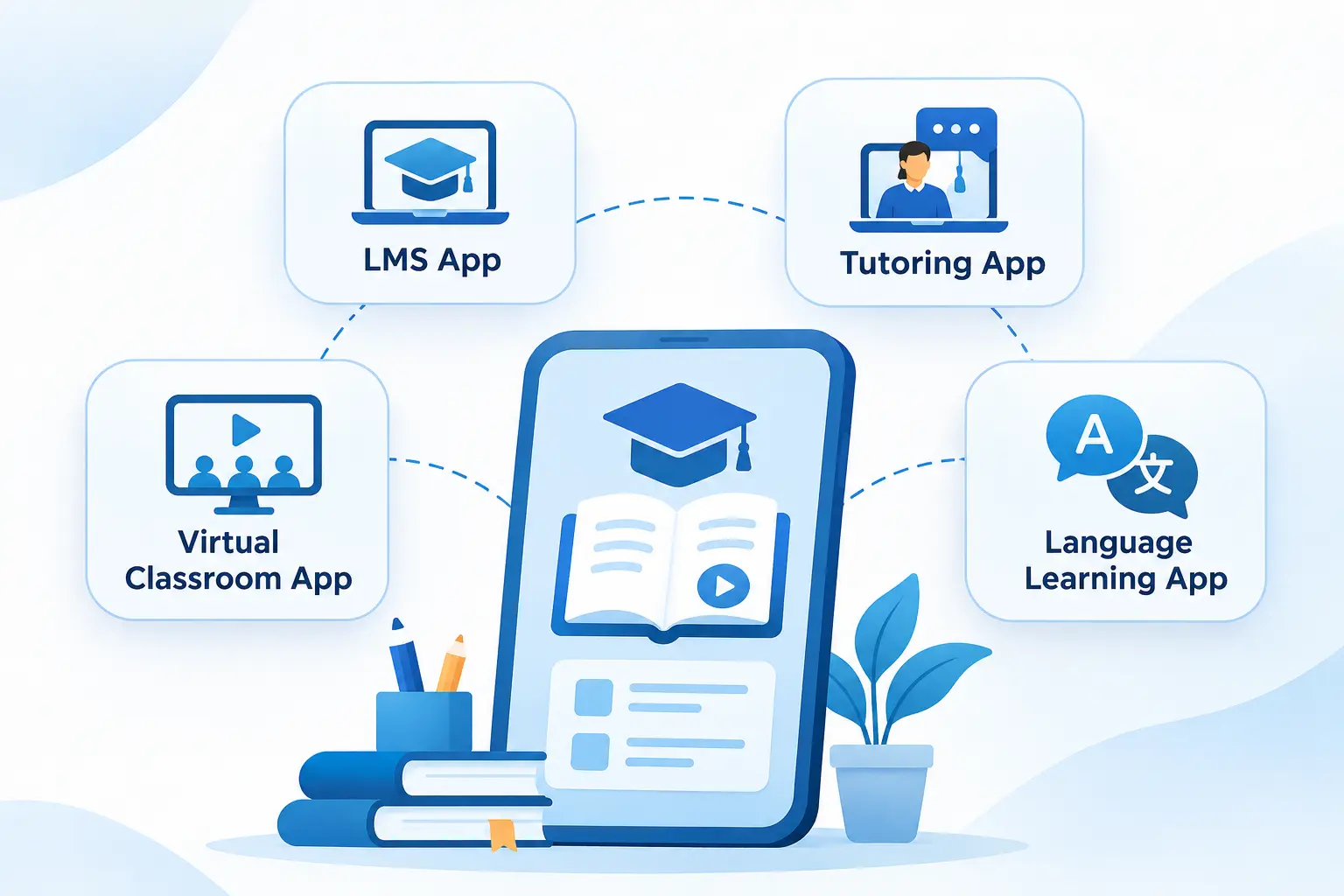
The first development decision is the learning model. It determines how users interact with the application, what the platform needs to manage, and which features belong in the first release.
Learning Management System (LMS) Apps
A Learning Management System manages educational content, learners, instructors, and course progress through a central platform. Schools, universities, training providers, and businesses use these applications to organise learning activities.
Common features include:
- Course creation and management
- Student enrollment and account management
- Video lessons and downloadable materials
- Quizzes, assignments, and assessments
- Course completion tracking
- Instructor and administrator dashboards
- Certificates and learning reports
For example, a training organisation may use an LMS to assign courses to employees, track completion, and check assessment results. A university may need additional features for different departments, academic terms, and instructor roles.
The data structure and permissions should reflect these requirements from the beginning. A platform supporting several institutions, for instance, needs clear separation between their users, courses, and records.
The choice of LMS technology also affects development. WordPress-based projects may use LearnDash development and customization for structured courses, assessments, certifications, and learner dashboards. LearnPress development is another option for platforms that need course management, instructor workflows, quizzes, and multi-instructor functionality.
Online Tutoring Apps
Online tutoring applications connect students with tutors for individual lessons or group sessions. Their main purpose is to make it easier to find instructors, arrange classes, conduct lessons, and manage payments.
Typical features include:
- Tutor registration and profiles
- Subject and qualification listings
- Tutor search and filtering
- Class booking and scheduling
- Video calls and messaging
- Payment processing
- Ratings and feedback
- Session history
An application for one-to-one tutoring has different scheduling requirements from a marketplace where hundreds of tutors manage their own availability. The latter also needs booking conflict prevention, cancellation rules, tutor verification, and payment distribution.
For businesses planning this type of product, online tutoring software development can involve separate workflows for students, tutors, and administrators, including tutor discovery, session booking, calendar management, and payment handling.
Virtual Classroom Apps
Virtual classroom applications support live teaching and interaction between instructors and learners. They are useful for schools, universities, coaching centres, and professional training providers.
Their features may include:
- Live video and audio sessions
- Screen sharing
- Interactive whiteboards
- Chat and discussion
- Class scheduling
- Attendance tracking
- Session recording
- Breakout rooms
A live classroom needs more than a video call. Students may need to ask questions, submit responses, view shared materials, and participate in activities without interrupting the instructor.
The platform also needs to handle different network conditions and provide a suitable experience when several participants join a session. Businesses planning dedicated virtual classroom application development should account for student and teacher dashboards, classroom scheduling, assessments, and collaboration tools.
Language Learning and Skill Development Apps
These applications help users learn a subject or skill through structured lessons and regular practice.
Common features include:
- Learning paths and lesson modules
- Vocabulary and practice exercises
- Audio and video lessons
- Interactive quizzes
- Progress tracking
- Daily learning reminders
- Achievement records
- Personalized recommendations
A language learning application may organise lessons around vocabulary, listening, speaking, and grammar. A professional skills application may use projects, practical assessments, and course completion records instead.
For example, language learning app development may involve speech recognition, conversational practice, vocabulary exercises, multilingual content, and proficiency-based learning paths.
The learning activities should determine the interface and feature requirements.
School and College Management Apps
School and college applications manage academic and administrative activities. They may support students, teachers, parents, and administrative staff through separate dashboards.
Common features include:
- Student and teacher records
- Attendance management
- Class timetables
- Examination schedules
- Academic performance reports
- Fee and payment records
- Parent-teacher communication
- Announcements and notifications
A school management application may also need integration with an existing student information system or accounting platform. These integrations should be considered during planning because they can affect both development time and cost.
When an application needs to manage academic and administrative operations across departments or campuses, smart campus ERP development may be a suitable approach. Such systems can connect admissions, attendance, finance, academic administration, and student records.
Need Help Choosing the Right App Model?
An LMS, tutoring platform, virtual classroom, or language learning app each requires a different set of features. Discuss your idea and identify the functionality that fits your target learners and teaching model.
Essential Features to Include in an Educational App
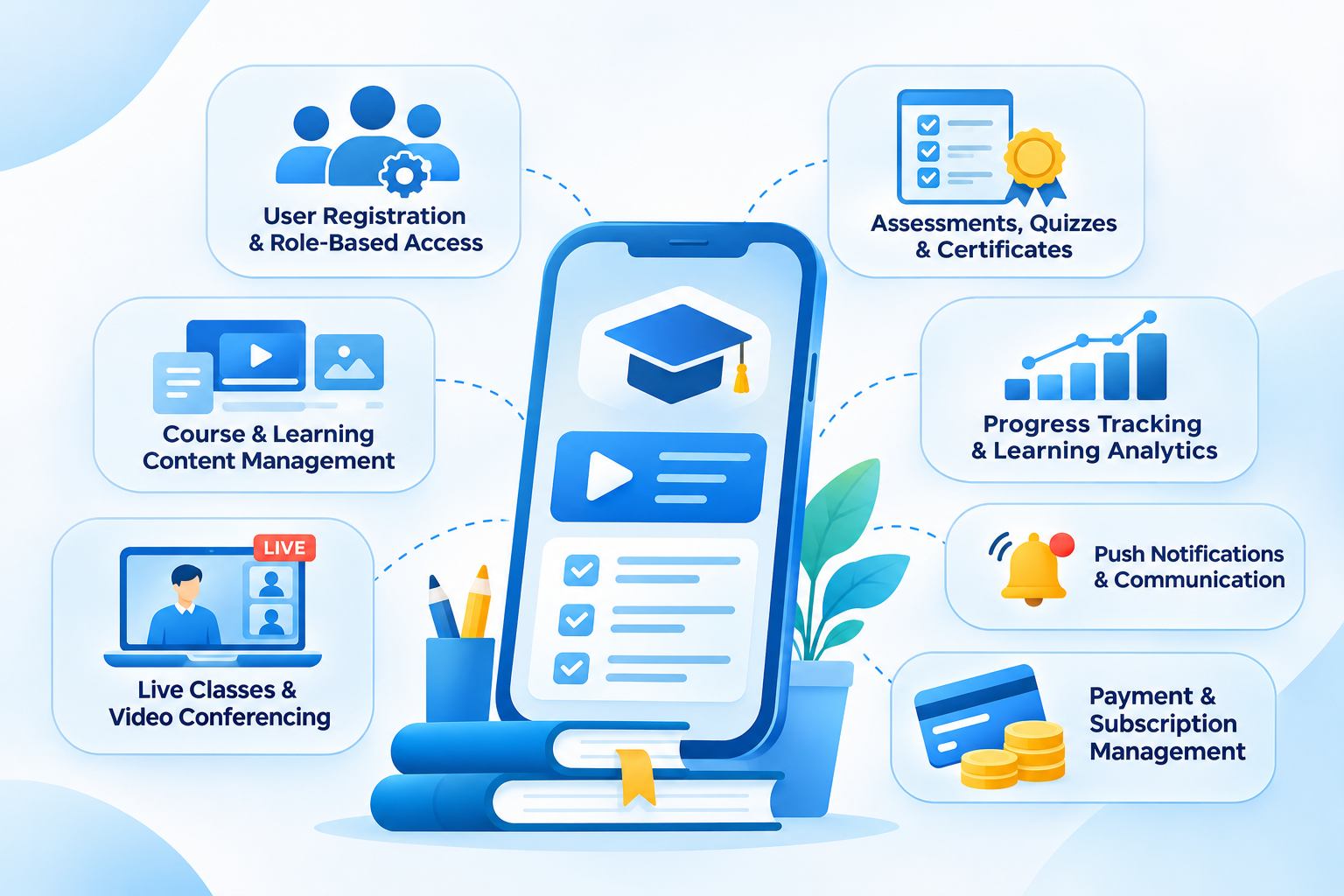
The right feature set depends on the application type, but most educational products need a few basic capabilities to manage users, deliver learning materials, and track progress.
User Registration and Role-Based Access
An educational application may have several types of users, each with different responsibilities.
For example:
- Students: Access lessons, complete assignments, take quizzes, and check progress.
- Teachers: Create courses, manage classes, review submissions, and assess students.
- Parents: Monitor attendance, view academic progress, and receive updates.
- Administrators: Manage accounts, permissions, courses, and platform settings.
Registration can use email, phone numbers, or supported social login options. The more important requirement is role-based access. A student should not be able to edit course settings, and a teacher should not automatically have access to every institution's records.
Permissions should be enforced at the backend level, including API requests and database access.
Course and Learning Content Management
The content management system determines how lessons are created, organised, updated, and delivered.
It may support:
- Video lectures
- Audio lessons
- PDF documents
- Presentations
- Downloadable resources
- Text-based learning modules
- Course categories
- Lesson sequencing
Consider a platform where an instructor creates a course with six modules. Each module contains video lessons, reading material, and a short assessment. Students should be able to see completed lessons and continue from their last activity.
Content management should also support updates. If an instructor replaces a lesson or corrects an assessment, the application needs a clear way to publish the change without disrupting students who are already enrolled.
An application where independent instructors publish and sell courses needs additional marketplace functionality. This may include instructor onboarding, course approval, search filters, enrollment management, commission calculations, and revenue distribution. These requirements are closer to an on-demand e-learning marketplace than a conventional course library.
Live Classes and Video Conferencing
Live learning requires a reliable communication system. Most applications integrate a video conferencing service or use a suitable real-time communication technology.
Useful capabilities include:
- Live video and audio sessions
- Screen sharing
- Participant management
- Session scheduling
- In-class messaging
- Recording options
- Attendance records
The choice between integrating an existing video service and developing custom video functionality depends on the product's requirements. An integration can reduce initial development work, while a custom system gives more control over the classroom experience but requires additional engineering and infrastructure.
For applications that need dedicated meeting functionality, video conferencing application development can cover HD audio and video, screen sharing, chat, file sharing, meeting recording, and multi-device access.
Assessments, Quizzes, and Certificates
Assessments help instructors check whether students understand the course material.
An educational application may include:
- Multiple-choice questions
- True-or-false questions
- Short-answer questions
- Timed tests
- Assignment submissions
- Automated scoring
- Instructor feedback
- Course completion certificates
Automated scoring works well for questions with predefined answers. Essays, practical assignments, and open-ended responses may require instructor review or a separate evaluation process.
Certificate generation should also follow defined completion rules. For example, a student may need to finish every module and achieve a minimum assessment score before receiving a certificate.
Progress Tracking and Learning Analytics
Students and instructors need a clear view of learning activity.
Useful tracking features include:
- Lessons completed
- Course completion percentage
- Quiz scores
- Assignment status
- Time spent on learning activities
- Attendance history
- Assessment performance
An instructor dashboard can show which students have missed assignments or struggled with a particular module. Students can use their own dashboards to identify unfinished lessons and review previous results.
The application should distinguish between activity and learning performance. A student spending more time in an application does not automatically mean they understand the material better.
For employee learning platforms, progress reports may also cover training completion, skill development, compliance records, and workforce performance. These requirements can be handled through corporate training application development.
Push Notifications and Communication
Notifications help users keep track of learning activities without constantly checking the application.
Examples include:
- Upcoming class reminders
- New course announcements
- Assignment deadlines
- Assessment results
- Tutor booking confirmations
- Course completion updates
Allow users to control notification preferences where appropriate. Sending reminders for every activity can become distracting, particularly for students who receive updates from several courses.
Payment and Subscription Management
Paid educational applications need a system to manage course purchases, recurring subscriptions, and payment records.
Depending on the business model, the application may support:
- One-time course payments
- Monthly or annual subscriptions
- Paid tutoring sessions
- Course bundles
- Discount codes
- Refund requests
- Payment history and invoices
A tutoring marketplace may also need to calculate tutor earnings and platform commissions. A subscription-based LMS may need renewal reminders, access expiry rules, and failed payment handling.
Payment requirements should be checked against the distribution platform's current billing policies, since rules can differ for digital content and services.
Advanced Features That Can Improve the Learning Experience
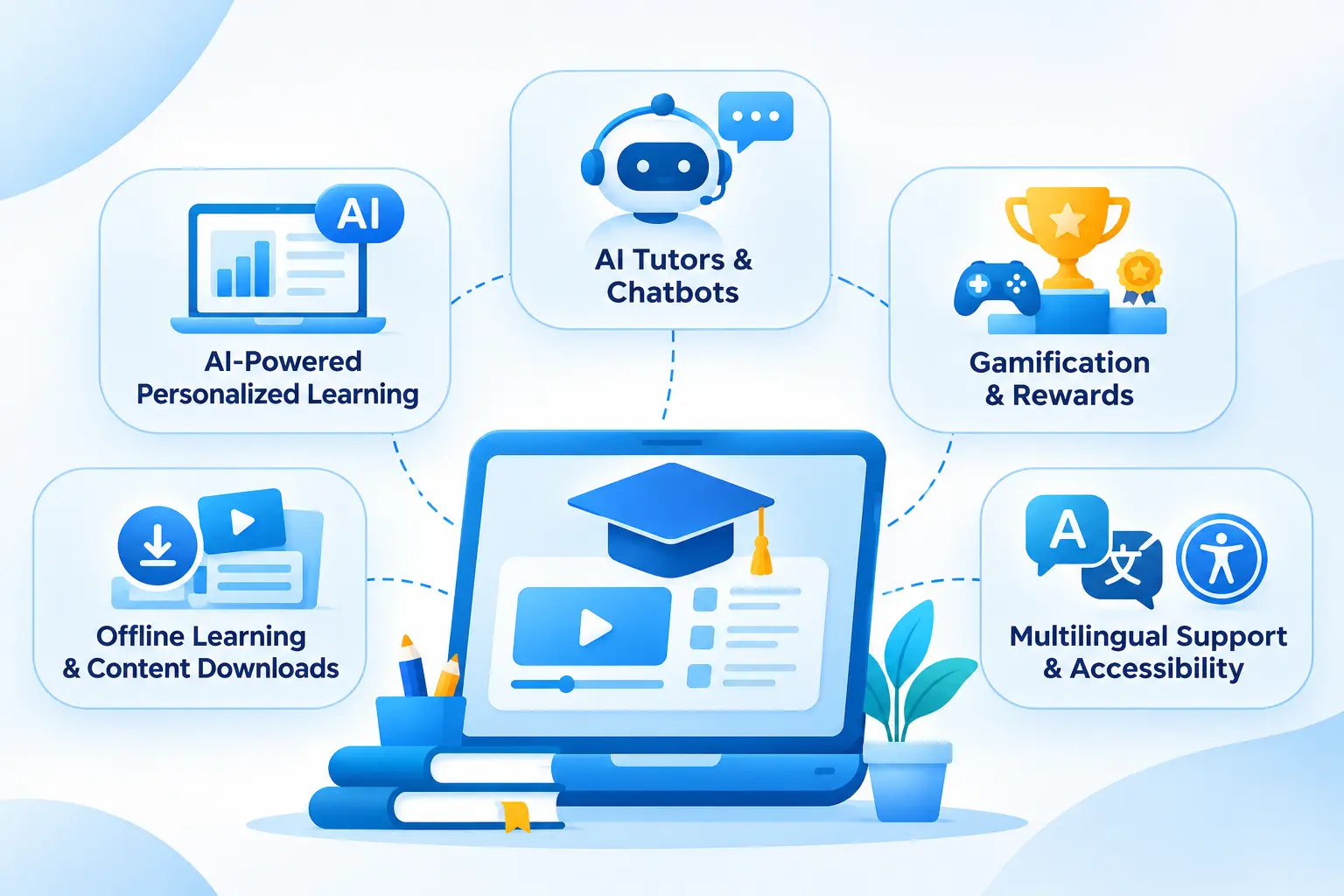
Advanced functionality can make an educational application more useful, but it should solve a defined problem. Adding AI, gamification, or other features simply because they are available can increase development and maintenance costs without improving the product.
AI-Powered Personalized Learning
Personalized learning features use learner activity and assessment results to recommend suitable content or learning paths.
For example, if a student repeatedly struggles with a particular topic, the application could recommend a revision lesson or additional practice questions before allowing them to move to the next module.
Possible capabilities include:
- Learning recommendations
- Adaptive lesson sequences
- Topic-based practice suggestions
- Performance-based content recommendations
- Individual progress analysis
The quality of these recommendations depends on the available learning data and how the recommendation rules are designed. A new application with very few users may not have enough data for sophisticated personalization, so rule-based recommendations can be a sensible starting point.
More advanced systems may use AI and machine learning to process learner activity, identify patterns, and support recommendation models. The actual technology should depend on the amount and quality of data available.
AI Tutors and Chatbots
An AI tutor can help students ask questions about course material and receive explanations without waiting for an instructor.
It may support:
- Questions about lesson content
- Explanations of difficult concepts
- Practice question generation
- Study assistance
- Learning material recommendations
- Multilingual responses
An educational chatbot can be useful for common questions about course schedules, enrollment, and assignments. A subject-specific AI tutor requires more careful design because its answers need to stay relevant to the course material.
For a platform using generative AI, retrieval from approved learning resources can help keep responses grounded in the content provided by instructors. The system should also handle unanswered questions instead of presenting uncertain information as fact.
A dedicated AI chatbot for education can support student queries, course-related assistance, admissions questions, faculty support, and learning resource discovery.
Gamification and Rewards
Gamification introduces game-like elements into learning activities. It can give students visible goals and feedback as they complete lessons.
Common features include:
- Points for completed activities
- Badges for achievements
- Learning streaks
- Progress levels
- Milestone rewards
- Leaderboards
A language learning app might award points for completing daily practice. A school application may prefer private achievement badges rather than public leaderboards, particularly for younger students.
Rewards should support the learning objectives. A system that encourages users to rush through lessons for points can work against meaningful learning.
For more interactive course experiences, AI avatar-based course delivery can combine virtual tutors, course content, personalized learning paths, automated assessments, and student interaction.
Offline Learning and Content Downloads
Offline access is useful for students who have limited or unreliable internet connections.
It can allow users to:
- Download selected lessons
- Read saved learning materials
- Watch downloaded videos
- Complete supported activities offline
- Synchronise progress after reconnecting
Offline support needs careful planning. The application must decide which content can be downloaded, how long it remains available, how updates are handled, and what happens when a student completes an assessment without an internet connection.
For example, a student may complete three lessons offline. When the device reconnects, the application needs to upload the saved progress without duplicating activities or overwriting newer information.
Multilingual Support and Accessibility
An educational application may serve students who speak different languages or use assistive technologies.
Useful options include:
- Multiple interface languages
- Translated learning content
- Captions for video lessons
- Audio transcripts
- Screen-reader compatibility
- Adjustable text sizes
- Clear navigation and controls
- Sufficient colour contrast
Accessibility should be considered during interface design, not added as a final testing task. The WCAG 2.2 accessibility guidelines provide criteria for making digital content more accessible.
For mobile products, the W3C also provides guidance on applying accessibility standards to mobile applications, covering native, mobile web, and hybrid applications.
Planning to Add Advanced Features to Your Educational App?
AI-powered recommendations, intelligent tutoring, gamification, and offline learning can add new capabilities to an educational platform. Discuss which features make sense for your learning goals and target audience.
How Much Does It Cost to Develop an Educational App?
The cost of developing an educational app depends on the number of features, supported platforms, design requirements, backend architecture, and third-party integrations.
A basic application with course listings, user accounts, and quizzes requires less development work than a platform with live classes, multiple user roles, AI tutoring, payment processing, and advanced analytics.
For initial budgeting, the following ranges can help.
Estimated Educational App Development Cost by Complexity
| App complexity | Typical features | Estimated cost |
| Basic educational app | Registration, course listings, video lessons, basic quizzes, admin panel | $2,800–$5,000 |
| Mid-level educational app | Multiple user roles, payments, dashboards, progress tracking, live class integration | $5,000–$10,000 |
| Advanced educational platform | AI tutoring, adaptive learning, advanced analytics, custom integrations, scalable infrastructure | $10,000–$20,000+ |
These are indicative planning estimates, not fixed industry prices or a published market average. Actual quotations can fall outside these ranges depending on the development team's location, project scope, hourly rates, and technical requirements.
For example, a basic application built for one mobile platform with a straightforward course catalogue will have a different budget from an application that needs iOS, Android, a web-based administration panel, and custom backend development.
The number of user roles also affects the cost. A student-only learning application has fewer workflows than a platform supporting students, parents, teachers, tutors, and administrators.
Step-by-Step Educational App Development Process
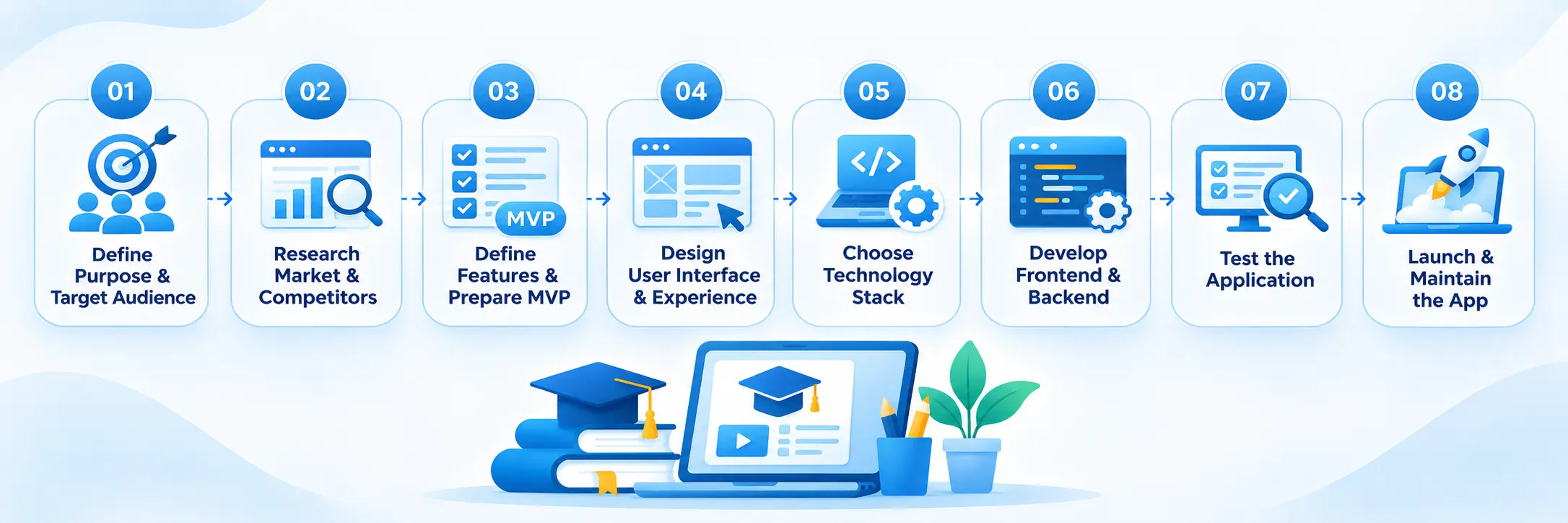
Educational app development moves through several stages, from defining the product idea to launching and maintaining the application. A clear process helps control the project scope, development time, and budget.
Step 1. Define the App's Purpose and Target Audience
Identify who will use the application and what learning problem it should solve. A school learning app, language learning platform, and corporate training application will have different requirements.
Define the target users, learning format, content type, user roles, and expected outcomes before planning features.
Step 2. Research the Market and Competitors
Study similar educational applications to understand their features, pricing, user experience, and limitations. Platforms such as Duolingo, Khan Academy, and Moodle can provide useful examples of different learning models.
Focus on features that suit your audience rather than copying an entire competitor's product.
Step 3. Define Features and Prepare the MVP
List the features required for the first release, such as user registration, course access, video lessons, quizzes, and progress tracking.
Keep advanced options like AI tutoring, gamification, and detailed analytics for later releases if they are not essential. This also helps define the scope of custom software development.
Step 4. Design the User Interface and Experience
Create wireframes and prototypes for key screens, including student dashboards, course pages, lesson players, assessments, and teacher panels.
Make sure each user role can complete common tasks without confusion. User testing at this stage can help identify navigation and usability issues early. A planned UI/UX design process helps establish these workflows before development.
Step 5. Choose the Technology Stack
Select technologies based on the app's features, target platforms, expected users, and maintenance requirements.
Common choices include Kotlin or Swift for native mobile apps, Flutter or React Native for cross-platform development, React for web interfaces, and Node.js or Python for backend development. Databases such as PostgreSQL and MongoDB may also be considered based on the application's data requirements.
Step 6. Develop the Frontend and Backend
Frontend development covers the screens and features users interact with, while the backend manages accounts, courses, permissions, payments, assessments, and learning progress.
Connect both through APIs and integrate required services, such as video hosting, payment gateways, and notification systems.
Step 7. Test the Application
Test the complete learning experience across supported devices and platforms. Check core functionality, video playback, payment processing, performance, security, and accessibility.
Also test real user journeys, such as enrolling in a course, completing a quiz, and checking updated progress.
Step 8. Launch and Maintain the App
Prepare the production environment, complete app store submissions where required, and carry out final checks before release.
After launch, monitor performance, fix reported issues, review user feedback, and release updates as needed. Regular maintenance helps keep the application functional as user needs and technology change.
Technology Stack Used to Build an Educational App
Technology selection depends on the application's functionality, supported devices, expected user base, and integration requirements. A simple learning application may need a different architecture from an LMS supporting several institutions and thousands of learners.
Frontend Development Technologies
The frontend controls the screens and interactions users see.
Common choices include:
- Flutter: Supports Android and iOS development through a shared codebase.
- React Native: Allows developers to build mobile applications using React and JavaScript or TypeScript.
- React: Suitable for web-based learning platforms, instructor dashboards, and administration panels.
- Kotlin: Used for native Android applications.
- Swift: Used for native iOS applications.
A cross-platform framework can reduce duplicated development work when the application needs both Android and iOS versions. Native development may be a better choice when the product needs specific operating system features or highly specialised device interactions.
Backend Development Technologies
The backend manages user accounts, course information, assessments, payments, and application logic.
Common options include:
- Node.js: Useful for API-driven applications and real-time communication features.
- Python: Suitable for backend development and applications that include machine learning or AI components.
- Laravel: A PHP framework used to build structured backend applications and APIs.
The choice depends on the development requirements, integration needs, and the team's ability to maintain the system.
Database and Cloud Infrastructure
Educational applications store different types of information, including student profiles, course details, lesson records, quiz results, and payment transactions.
Common database options include:
- PostgreSQL: Suitable for structured data and applications with relational requirements.
- MySQL: Commonly used for web applications and structured records.
- MongoDB: Useful when the application needs a document-oriented data model.
Cloud infrastructure handles application hosting, file storage, backups, and traffic management. Services such as AWS, Microsoft Azure, and Google Cloud can support these requirements.
For video-heavy applications, media storage and content delivery should be planned separately from the main application database. Storing large video files directly in the database is generally not a suitable approach.
Third-Party Integrations
Integrations allow an educational application to use external services for specific functions.
Depending on the product, these may include:
- Payment gateway integration.
- Video conferencing APIs.
- Push notification services.
- Email delivery platforms.
- Analytics tools.
- Cloud storage.
- Authentication providers.
For example, a tutoring application may use a video conferencing service for live lessons and a payment gateway for session bookings. An LMS may need integrations with external content providers or existing student information systems.
The integration plan should include API limitations, usage charges, data handling, and what happens if an external service becomes unavailable.
Not Sure Which Technology Is Right for Your App?
The right technology stack depends on your app's functionality, target platforms, expected users, and future requirements. Get guidance on choosing the right frameworks, backend technologies, and databases for your project.
How Long Does It Take to Develop an Educational App?
The development timeline depends on the application's scope, number of platforms, design complexity, integrations, and testing requirements.
A basic course delivery app generally takes less time to develop than a platform with multiple user roles, live classrooms, payment systems, and AI-powered features.
The following estimates are useful for initial planning.
| App complexity | Indicative development timeline |
| Basic educational app | 1-3 months |
| Mid-level educational app | 3-5 months |
| Advanced educational platform | 5–12+ months |
These estimates assume that the project has a defined scope and an available development team. They are not guaranteed delivery schedules.
The actual timeline can change due to several factors:
- Feature requirements: Custom assessments, adaptive learning, and AI integrations need additional development and testing.
- Platform coverage: Supporting web, Android, and iOS requires more work than developing for a single platform.
- Third-party integrations: External services may require additional configuration, testing, and approval.
- Design revisions: Changes to navigation and user workflows can affect development schedules.
- Content preparation: Course uploads, video production, and content migration may need a separate workstream.
- Testing requirements: Applications used by children or educational institutions may require additional privacy, security, and accessibility reviews.
A useful approach is to estimate each development stage separately, then create a delivery schedule with clear milestones.
Security, Privacy, and Accessibility Requirements
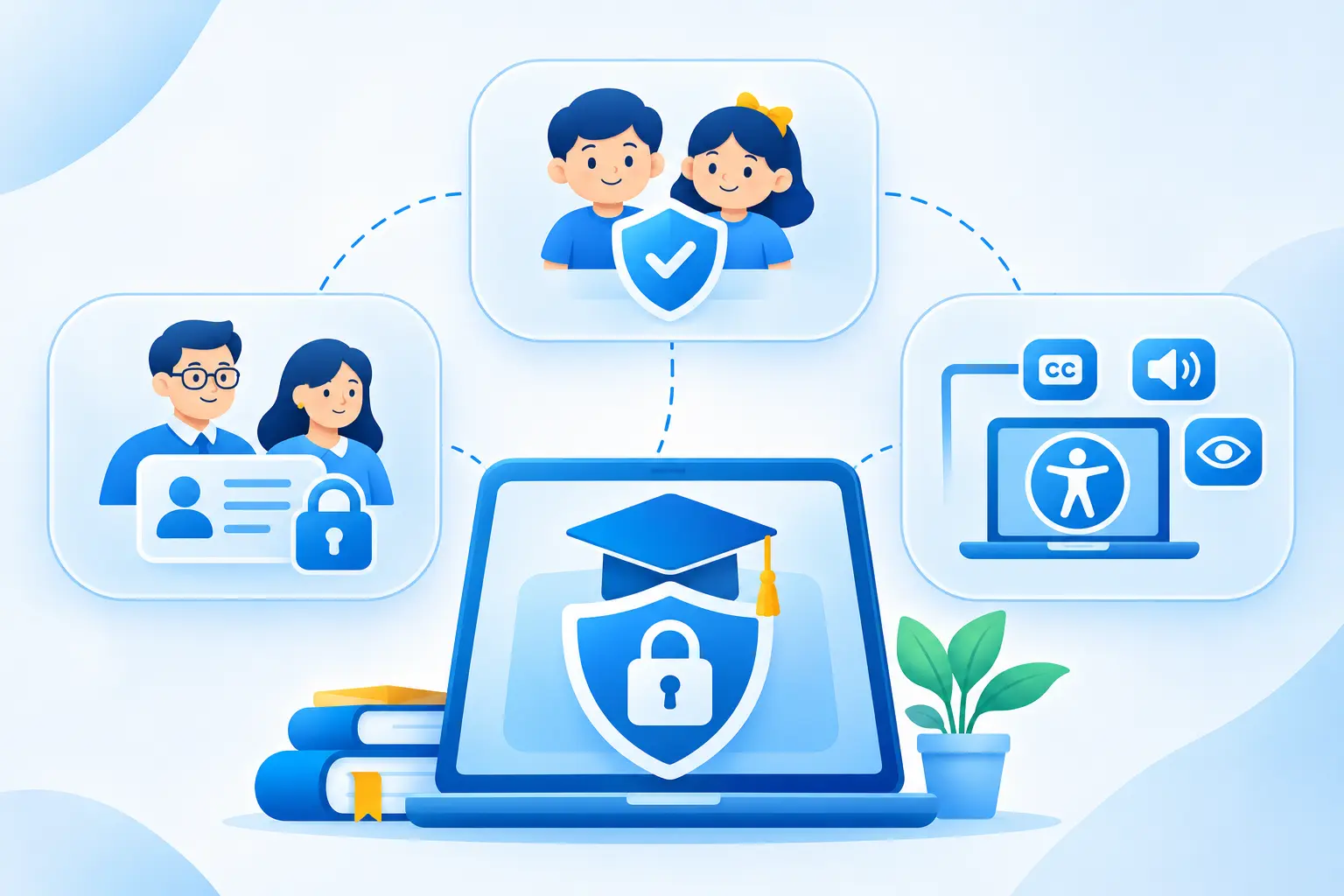
Educational applications can contain student identities, academic records, communication history, payment details, and other personal information. Applications used by children may also involve additional legal responsibilities.
These requirements should be included in the original product plan.
Protect Student and Teacher Information
Start with a clear approach to authentication, permissions, and data storage.
Important security measures include:
- Secure account authentication.
- Role-based access controls.
- Encryption for sensitive information.
- Secure API communication.
- Session management.
- Regular backups.
- Access logging and monitoring.
- Appropriate data retention policies.
For example, a teacher should only access the classes and student records assigned to them. A parent should only see information associated with their child's account.
These permissions need to be enforced by the backend, not just hidden from the user interface.
Protect Children's Data
Applications designed for younger learners need additional attention to privacy and account management.
Consider:
- Collecting only the information required to provide the learning service.
- Using age-appropriate registration processes.
- Obtaining parental consent where required by applicable law.
- Providing clear privacy notices.
- Restricting access to children's information.
- Defining data retention and deletion procedures.
- Reviewing third-party tools that collect user information.
The applicable requirements depend on where the application operates and the age of its users. For example, COPPA applies to certain online services directed at children under 13 in the United States, while other countries have their own data protection laws.
Make Learning Content Accessible
Accessibility affects how students interact with lessons, assessments, and navigation.
A useful accessibility checklist includes:
- Captions for video lessons.
- Transcripts for audio content.
- Text alternatives for meaningful images.
- Keyboard-accessible controls.
- Screen-reader compatibility.
- Readable text sizes.
- Sufficient colour contrast.
- Clear form labels and error messages.
These features are particularly relevant to applications used by schools and institutions with learners who have different accessibility needs.
Common Mistakes to Avoid When Developing an Educational App
A few development mistakes can increase costs, delay launch, and affect the learning experience. Keep these points in mind during planning:
- Adding too many features initially: Start with the core learning features and introduce advanced functionality after testing the first release.
- Ignoring teacher and admin workflows: Make sure instructors can easily manage lessons, assignments, and student progress.
- Underestimating video costs: Account for storage, bandwidth, and streaming expenses when planning recorded lessons and live classes.
- Adding AI without a clear purpose: Use AI to address specific learning needs, such as answering course questions or recommending lessons.
- Overlooking accessibility and security: Plan for data protection, user permissions, accessible navigation, and low-bandwidth usage from the beginning.
- Skipping user testing: Test the application with students and teachers before launch to identify usability issues and improve key workflows.
Building an Educational App with the Right Development Partner
Creating an educational app requires a clear understanding of how students, teachers, and administrators will use the platform. From course management and virtual classrooms to student progress tracking and AI-based learning features, each requirement needs the right technical approach.
Nyusoft provides education app development for businesses looking to build learning platforms, tutoring apps, and other EdTech products. Whether you are starting with an idea or improving an existing platform, the team can help plan and develop an application around your requirements.
FAQs
1. How do you create an educational app?
To create an educational app, define your target audience and learning goals, plan the essential features, design the interface, select a technology stack, and develop the frontend and backend. Test the application before launch and maintain it through regular updates.
2. How much does it cost to develop an educational app?
Educational app development can cost between $2,800 and $20,000 or more, depending on its features, complexity, platforms, integrations, and development requirements. A basic app costs less than a platform with live classes, AI features, and advanced analytics.
3. How long does it take to build an educational app?
A basic educational app may take 1 to 3 months to develop. A medium-complexity application can take 3 to 5 months, while an advanced platform may require 5 to 12 months or longer.
4. What are the different types of educational apps?
Common types of educational apps include:
- Learning Management System (LMS) apps
- Online tutoring apps
- Virtual classroom apps
- Language learning apps
- School management apps
- Exam preparation apps
- Corporate training apps
- Quiz Apps
- Educational marketplace apps
5. What features should an educational app have?
Essential features include user registration, role-based access, course management, video lessons, quizzes, progress tracking, notifications, and an admin dashboard. Depending on the learning model, you can also add live classes, payment gateways, certificates, and AI-powered tools.
6. Which technologies are used to build an educational app?
The technology depends on the app's requirements. Flutter and React Native support cross-platform mobile development, while Kotlin and Swift support native Android and iOS apps. React, Node.js, Python, and PostgreSQL are also common choices for frontend, backend, and database development.
7. Can AI be integrated into an educational app?
Yes. AI can support personalized learning recommendations, intelligent tutoring, automated feedback, chatbot assistance, and adaptive assessments. The features should address specific learning requirements rather than being added without a clear purpose.
8. Should I build a native or cross-platform educational app?
Native development is suitable when an application needs platform-specific functionality and performance. Cross-platform development with Flutter or React Native can reduce duplicated development work when targeting Android and iOS with a shared codebase.
9. How can an educational app generate revenue?
Educational apps can generate revenue through paid course subscriptions, one-time course purchases, premium memberships, institutional licensing, in-app purchases, and corporate training plans. The right model depends on the target audience and learning product.
10. How do I maintain an educational app after launch?
Maintain an educational app by monitoring performance, fixing bugs, updating security measures, improving compatibility, and reviewing user feedback. Regular content updates and feature improvements also help keep the learning experience useful.
Ready to Move Forward with Your Educational App Idea?
You have the basics covered. Now define your project requirements, choose the right features, and plan your development budget. Discuss your idea with a team that understands educational software and learning platforms.

