


 Front End Development
  Back End Development
  CMS / ECommerce Development
  Mobile Apps Development
  Cloud Services
  Fullstack Services
  Solution


Customer Support AI Chatbot Development for eCommerce: Features, Benefits & Cost
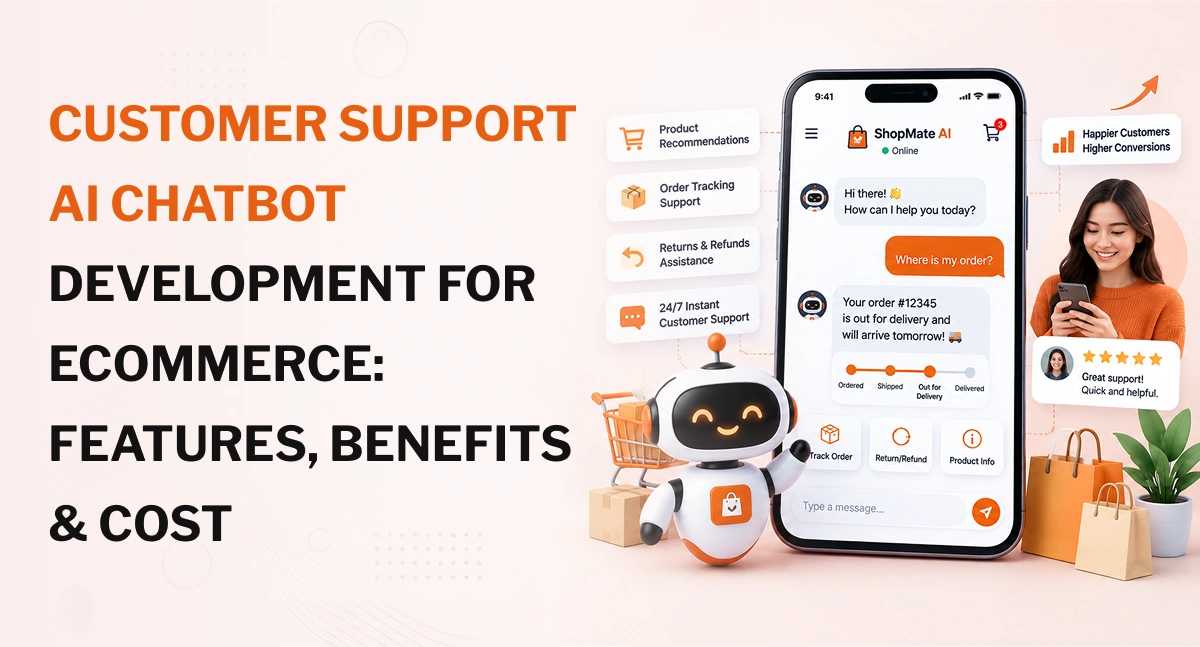
Customer support AI chatbot development for eCommerce typically costs $2,500 to $5,000 for a basic custom chatbot, $5,000 to $10,000 for a more connected solution, and $10,000 to $15,000+ for an advanced system with order management, CRM, returns, multilingual support and multiple channels. Enterprise deployments with complex workflows and several business integrations can exceed $15,000.
The price depends less on the chat window itself and more on what happens behind it. A chatbot that answers "What is your return policy?" is relatively simple. One that verifies a customer, checks an order, determines return eligibility and starts a return request requires considerably more development.
What Is a Customer Support AI Chatbot for eCommerce?
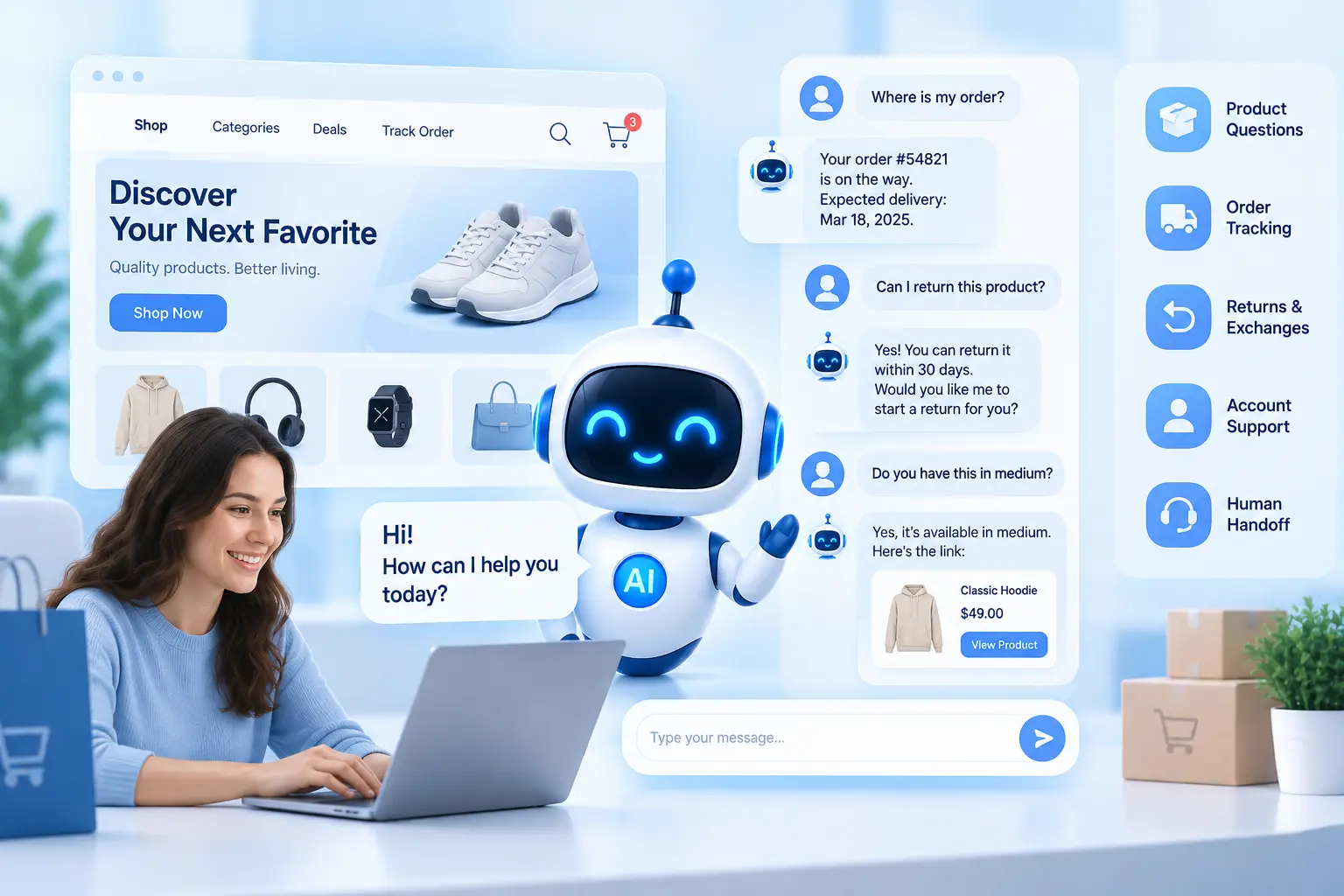
A customer support AI chatbot is a conversational application that can understand customer questions and respond using information from an online store, product catalogue, support documentation and connected business systems.
For an eCommerce store, a customer might ask:
- "Where is my order?"
- "Can I return this product?"
- "Does this jacket come in medium?"
- "How long does delivery take to Canada?"
- "Do you ship to the UK?"
- "Is this item covered by warranty?"
- "Can I change my delivery address?"
- "Which laptop is better for video editing?"
The chatbot can answer straightforward questions from a knowledge base. With the right integrations, it can also retrieve live information or start a workflow.
That distinction matters.
A basic bot may explain a return policy. A connected AI assistant can check whether a particular order qualifies for a return.
Basic chatbot vs AI chatbot vs AI assistant
| Type | Typical capability |
| FAQ chatbot | Answers predefined questions |
| AI chatbot | Understands natural-language questions and retrieves relevant information |
| Connected AI assistant | Uses store data and business systems to answer personalised questions |
| Action-oriented AI agent | Can perform approved tasks such as creating tickets or initiating workflows |
The more the system moves from answering to acting, the more development, testing and security work it usually requires.
Build a Customer Support AI Chatbot for Your Store
Give customers faster answers to product, shipping, order and return questions with an AI chatbot built around your eCommerce workflows, store data and support requirements. Discuss your idea and identify the right approach.
How an AI Customer Support Chatbot Works With an eCommerce Store
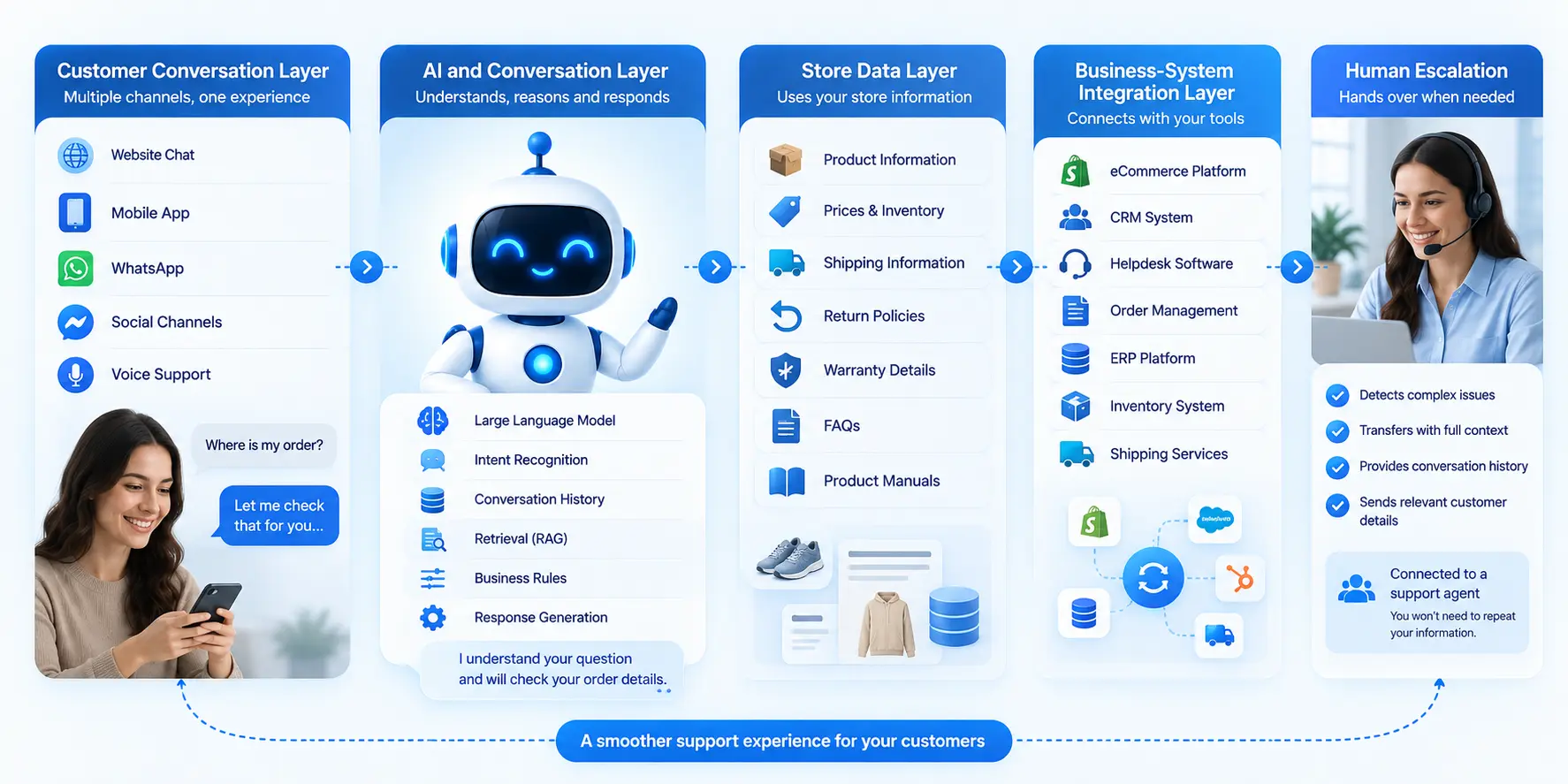
An eCommerce chatbot is usually made up of several connected parts rather than one AI model.
Customer conversation layer
This is what the shopper sees.
It can include:
- Website chat
- Mobile app chat
- Other messaging channels
- Voice interfaces, where required
The same underlying support logic can serve several channels if the system is designed that way.
AI and conversation layer
This handles the actual conversation.
It may include:
- A large language model
- Prompt and conversation logic
- Intent recognition
- Conversation history
- Retrieval
- Business rules
- Response generation
The language model provides the conversational capability, but it does not automatically know a store's current inventory or a customer's latest order.
Store data layer
The chatbot may need access to:
- Product descriptions
- Product specifications
- Prices
- Inventory
- Shipping information
- Return policies
- Warranty information
- FAQs
- Product manuals
This information needs to be kept current. A chatbot can produce a well-written answer that is still wrong if its underlying store information is outdated.
Business-system integration layer
A more advanced chatbot may connect to:
- eCommerce platforms
- CRM systems
- Helpdesk software
- Order management systems
- ERP platforms
- Inventory systems
- Shipping services
For example, an order-status request may follow this path:
Customer question → authentication → order API → current order status → AI response
That is very different from simply retrieving an answer from an FAQ document.
Human escalation
AI should also have clear boundaries.
A customer reporting a missing delivery, disputed charge or unusual refund situation may need a human agent.
The chatbot can collect the relevant information and pass the conversation to the support team with the conversation history intact. This reduces the need for the customer to repeat the same details.
Features to Include in an eCommerce Customer Support AI Chatbot
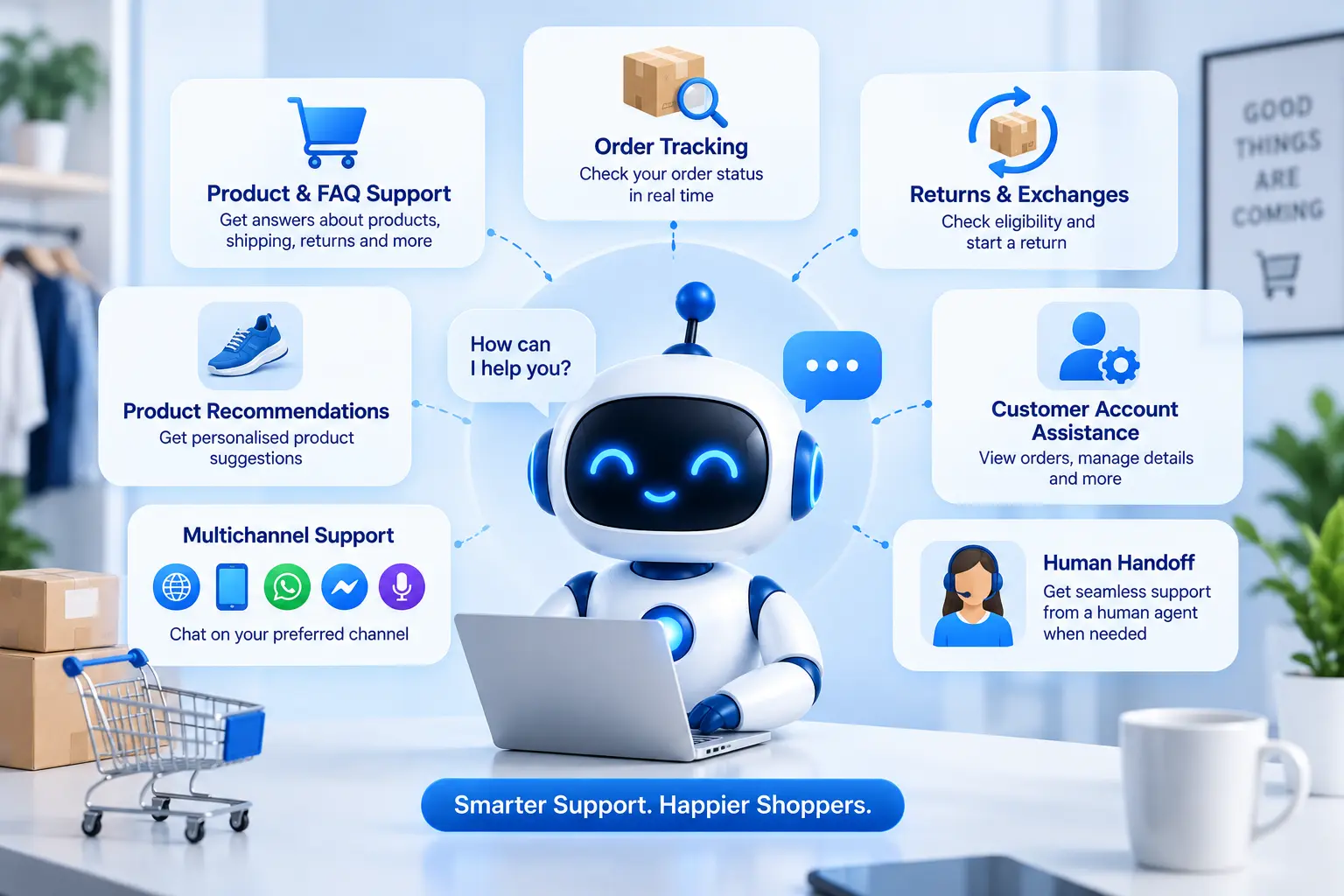
The right feature set depends on the store's support volume and business processes. A smaller store may need only product and FAQ support, while a large retailer may need live order data, returns, customer accounts and several communication channels.
Product and FAQ support
This is usually the starting point.
The chatbot can answer questions about:
- Product specifications
- Materials
- Sizes
- Shipping
- Warranty
- Returns
- Payment options
- Store policies
- Frequently asked questions
This information can come from structured product data, documents, FAQs or a combination of sources.
Order tracking
Order tracking becomes much more useful when the chatbot can retrieve live order information.
A customer might ask:
"My order was supposed to arrive yesterday. Can you check it?"
Instead of sending the customer to a tracking page, the chatbot can authenticate the request, retrieve the relevant order and explain its current status.
Current eCommerce chatbot guidance from Shopify also identifies order tracking as a practical customer-service use case for AI chatbots.
Returns and exchanges
Returns can range from a simple information request to a multi-step workflow.
The chatbot might:
- Explain the return policy.
- Identify the customer's order.
- Check whether the product is eligible.
- Collect the reason for return.
- Start a return request.
- Provide the next steps.
The first step is relatively straightforward. The later steps require access to customer and order systems, policy rules and appropriate permissions.
Product recommendations
A customer may ask:
"I need running shoes for long-distance training under $150."
The chatbot can use product information such as:
- Price
- Product type
- Size
- Material
- Features
- Availability
- Customer preferences
The quality of the recommendation depends heavily on the quality and structure of the product data.
Customer account assistance
If customers can ask about their own account, the system may need access to:
- Order history
- Saved addresses
- Subscriptions
- Previous purchases
- Account details
Authentication becomes important here. The chatbot should not reveal customer information simply because someone knows an order number or an email address.
Multichannel support
An eCommerce business may want the chatbot on its website first and add other channels later.
Possible channels include:
- Website
- Mobile app
- Social messaging
- Voice
A shared backend can help keep responses and business rules consistent across channels.
Human handoff
A good customer-support chatbot should have clear escalation rules.
A handoff might occur when:
- The customer asks for a human.
- The chatbot cannot find reliable information.
- The issue involves a disputed payment.
- A fraud concern is raised.
- A policy exception needs approval.
- The customer has a complex complaint.
The handoff should include the relevant conversation history and information already collected.
Plan the Right Features for Your eCommerce Chatbot
From order tracking and product recommendations to returns, customer accounts and human handoff, choose the features that match your support needs instead of paying for functionality you may not need.
What Does an AI Chatbot Cost to Develop for an eCommerce Business?
The following ranges are useful for initial budgeting rather than as fixed market prices.
| eCommerce chatbot type | Estimated development cost | Typical scope |
| Basic customer support chatbot | $2,500-$5,000 | FAQs, product information, basic AI conversations |
| Custom eCommerce AI chatbot | $5,000-$10,000 | RAG, product data, order lookup, selected integrations |
| Advanced support chatbot | $10,000-$15,000+ | CRM, returns, multiple channels, multilingual support |
| Enterprise AI support system | $15,000+ | Complex workflows, several platforms, advanced security and high-volume infrastructure |
These numbers can move in either direction.
A store with 20,000 products and a clean product database may be easier to connect than a smaller store with fragmented product information spread across several systems.
Likewise, a chatbot that only answers questions can be much less expensive than one that can modify orders or initiate returns.
A simple example
Consider these two requests.
Customer A:
"What is your return policy?"
The chatbot can retrieve the relevant policy document and answer.
Customer B:
"Can I return order #48291, and can you start the return for me?"
The chatbot may need to:
- Verify the customer
- Retrieve the order
- Identify the product
- Check the purchase date
- Apply return rules
- Determine eligibility
- Start a return workflow
- Record the request
The second workflow requires considerably more backend development.
What Factors Affect eCommerce AI Chatbot Development Cost?
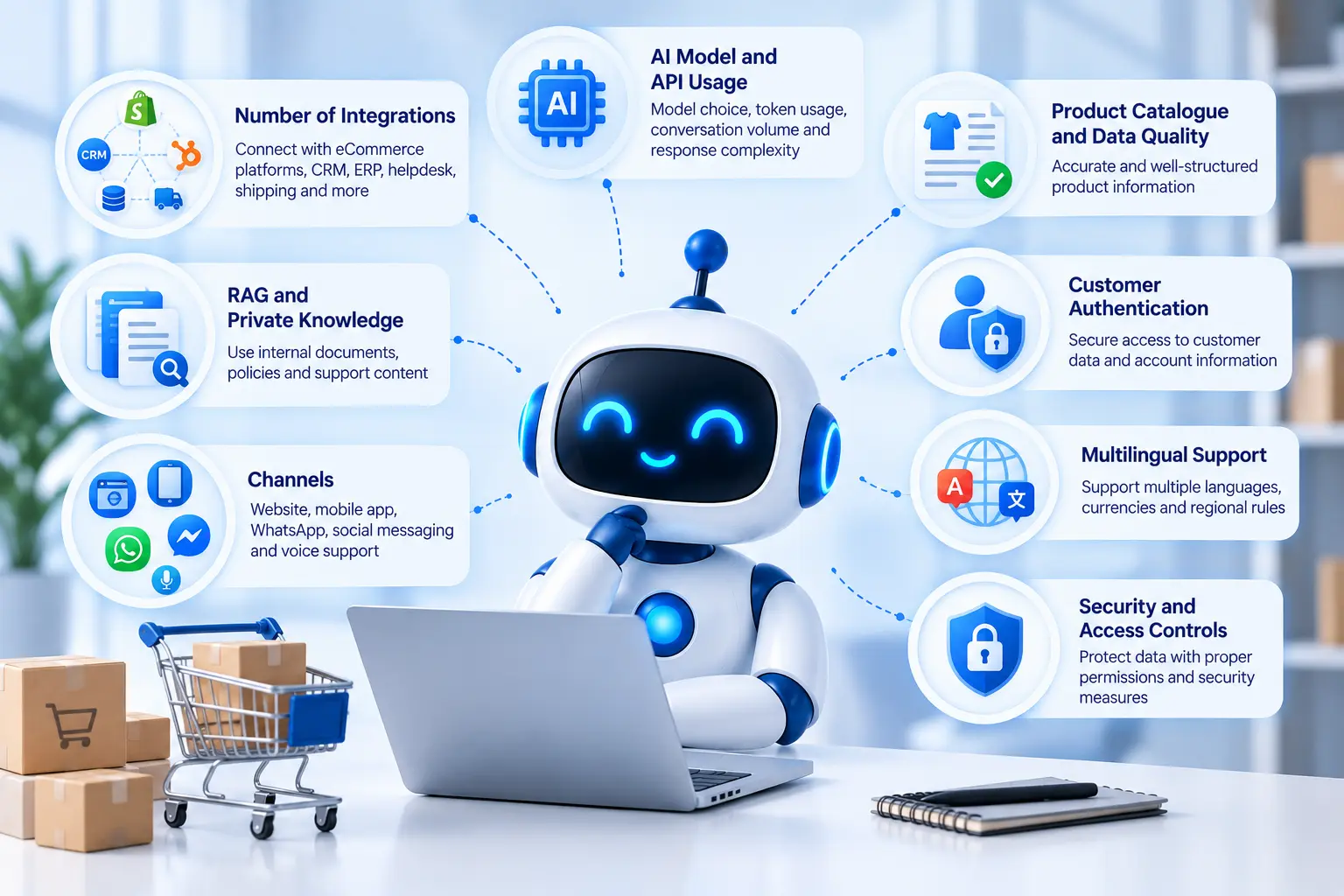
Number of integrations
Integration work can have a major effect on the budget.
Connecting the chatbot to one eCommerce platform is one thing. Connecting it to an eCommerce platform, CRM, ERP, helpdesk, inventory system and shipping provider is another.
Each system can have its own API, authentication method, data structure and error conditions.
AI model and API usage
The language model is another consideration.
Costs can depend on:
- Model selected
- Number of conversations
- Number of tokens processed
- Average conversation length
- Number of requests
- Response complexity
These are generally ongoing operating costs, separate from the initial development budget.
A simple support question may require much less processing than a long conversation involving several retrieved documents and multiple tool calls.
Product catalogue and data quality
A chatbot is only as useful as the information it can access.
If product descriptions are inconsistent, specifications are missing or inventory information is outdated, the chatbot may struggle to provide reliable answers.
Data preparation can therefore become part of the development project.
RAG and private knowledge
Retrieval-augmented generation, or RAG, allows a chatbot to retrieve relevant information from a company's documents or knowledge sources before generating a response.
For eCommerce, this can be useful for:
- Product manuals
- Return policies
- Warranty documents
- Shipping rules
- Product descriptions
- Support documentation
RAG adds more components to the application, including document processing, indexing, retrieval, embeddings and evaluation.
Customer authentication
A public question such as "Do you ship to Australia?" does not require customer authentication.
A question such as "Where is my order?" may.
If the chatbot can access personal customer information, the application needs an appropriate authentication and authorisation model.
Channels
Website-only support is usually simpler than a system supporting website, mobile, WhatsApp and voice.
Each channel can introduce its own technical requirements and testing.
Multilingual support
Supporting customers across the USA, UK, Canada, Australia, UAE and other markets can introduce multiple languages, regional shipping rules and different customer-service requirements.
Translation alone is not enough. Product names, currencies, measurements, policies and regional delivery information may also need to be handled correctly.
Security and access controls
A public FAQ bot has a smaller security scope than a chatbot connected to customer accounts and order systems.
The more systems the chatbot can access, the more carefully permissions need to be designed.
Get an Estimate for Your eCommerce AI Chatbot
Development costs vary based on AI models, integrations, data, authentication, channels and security requirements. Share your project requirements to understand what your chatbot may need and where the budget is likely to go.
Benefits of Using AI for eCommerce Customer Support
Faster answers to routine questions
Customers often ask the same types of questions repeatedly:
- Where is my order?
- How long does shipping take?
- Can I return this?
- Do you ship internationally?
- Is this product available?
- What does the warranty cover?
An AI chatbot can handle many of these questions without requiring a support agent to respond manually each time.
Support outside normal business hours
Online stores can receive orders from customers in different time zones.
A chatbot can provide support when a human support team is offline. It can answer common questions immediately and collect information for a human agent when the issue requires further attention.
Shopify's current guidance similarly describes round-the-clock support and automated handling of repetitive customer requests as practical uses for AI chatbots in eCommerce.
Handling repetitive support requests
Automating repetitive questions can give human agents more time for cases that need investigation, judgement or direct communication.
This does not mean every support case should be automated. The useful dividing line is whether the chatbot has enough information and authority to resolve the issue safely.
Better access to product information
A shopper can ask a question in natural language rather than searching through several product pages.
For example:
"Which of these two coffee machines has a built-in grinder?"
The chatbot can retrieve the relevant product attributes and compare them if that information is available.
Giving human agents more context
When a conversation needs escalation, the chatbot can pass information such as:
- Customer question
- Conversation history
- Order number
- Product involved
- Previous troubleshooting steps
- Reason for escalation
That gives the human agent a better starting point.
Support across multiple markets
International stores often need to deal with different time zones, shipping regions, currencies, languages and product availability.
A chatbot can support these workflows, provided the underlying business rules and regional information are correctly configured.
Which eCommerce Platforms Can an AI Support Chatbot Integrate With?
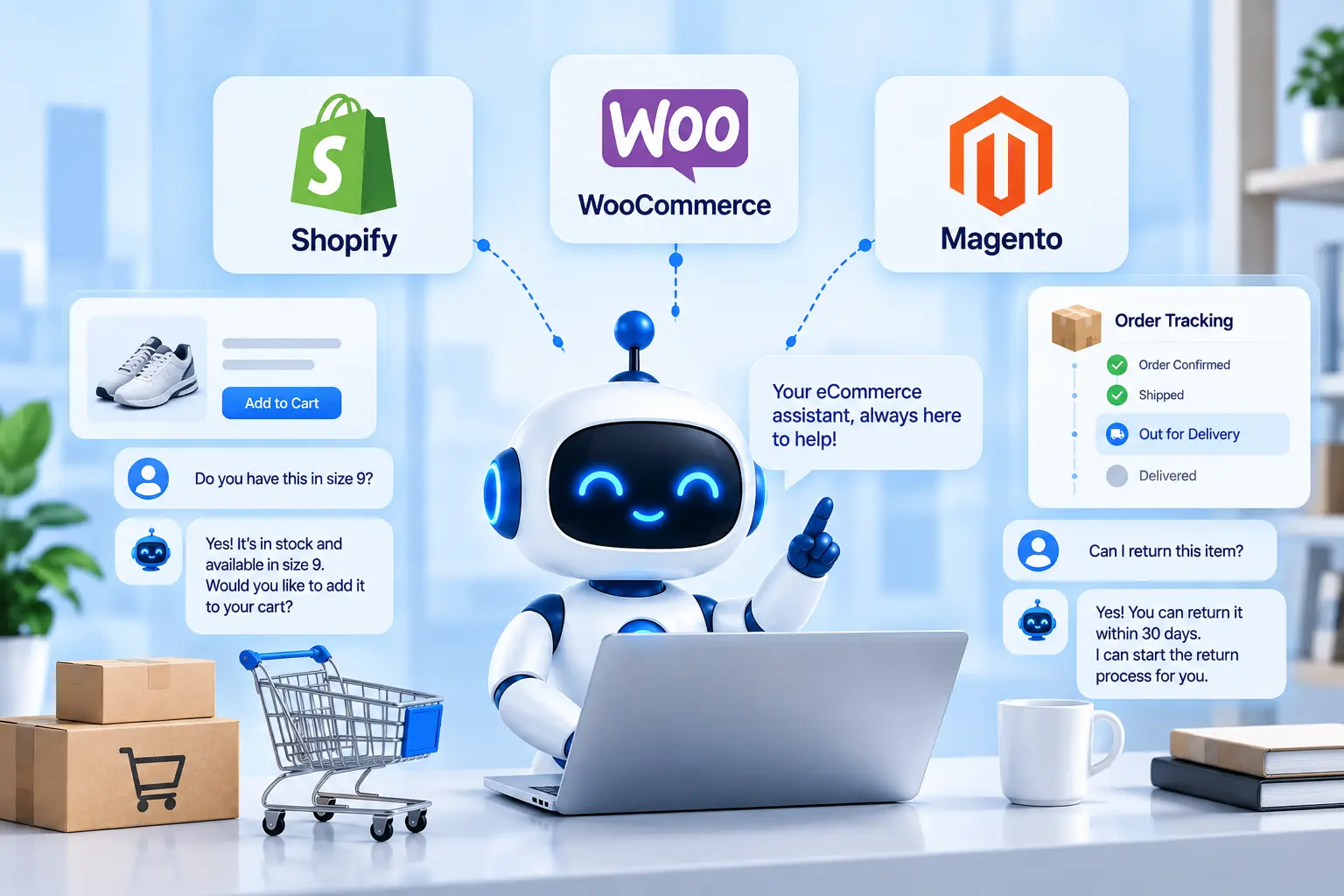
The chatbot architecture should be planned around the data and actions the store needs.
Shopify
A Shopify-connected chatbot can potentially work with product, order and customer information through the platform's available APIs and integrations.
This can support workflows such as:
- Product questions
- Order lookup
- Inventory-related questions
- Customer support
- Product recommendations
For stores that need changes beyond standard functionality, Shopify development services can be relevant when custom API integrations or store-side development is required.
WooCommerce
WooCommerce provides an API-based environment that can be connected to custom applications.
A support chatbot may use this connection for:
- Product data
- Orders
- Customer information
- Store-specific workflows
- Inventory-related requests
For more involved implementations, WooCommerce development services can support custom store functionality and API integration.
Magento
Magento is often used for larger and more complex eCommerce operations where the chatbot may need to connect with several existing systems.
Potential chatbot functions include:
- Product support
- Customer account assistance
- Order information
- Shipping questions
- Third-party system integration
For stores requiring custom extensions or third-party connections, Magento development services can be relevant to the wider eCommerce architecture.
The important point is that the chatbot should be designed around the store's actual workflows rather than treating the eCommerce platform as the entire system.
AI Chatbot vs Traditional eCommerce Support Chatbot
The difference is mainly in how the system handles language, context and information.
| Capability | Traditional chatbot | AI chatbot |
| Fixed FAQs | Yes | Yes |
| Natural-language questions | Limited | Yes |
| Product knowledge | Basic | More flexible |
| Contextual conversation | Limited | Yes |
| Order lookup | Requires integration | Requires integration |
| Product recommendations | Rule-based | AI-assisted |
| RAG | Usually limited | Yes |
| Human handoff | Yes | Yes |
| Complex workflows | Limited | Possible |
| Dynamic responses | Limited | Yes |
One important detail is easy to miss: an AI model does not automatically have access to store data.
An LLM may understand a question such as "Where is my order?", but it cannot know the current status of that order unless the application is connected to the relevant order system.
The integration is what makes the response useful.
Security and Privacy for eCommerce AI Chatbots
An eCommerce chatbot may handle information such as names, email addresses, order numbers, addresses, account details and support conversations.
The security design should reflect what the chatbot can access and what actions it can perform.
Important controls can include:
- Customer authentication
- Role-based access
- API authentication
- Data encryption
- Access logging
- Permission controls
- Secure handling of personal information
- Prompt-injection testing
- Data leakage testing
- Human escalation
NIST's Generative AI Risk Management Framework provides guidance for incorporating trustworthiness considerations into the design, development, use and evaluation of generative AI systems. Its profile also discusses risks such as prompt injection in applications connected to external data and systems.
For an international eCommerce business, privacy and data requirements can also vary according to the customers served, the location of the business and the type of information processed. The technical design should account for those requirements rather than adding compliance work after development.
How to Build an AI Chatbot for eCommerce Customer Support
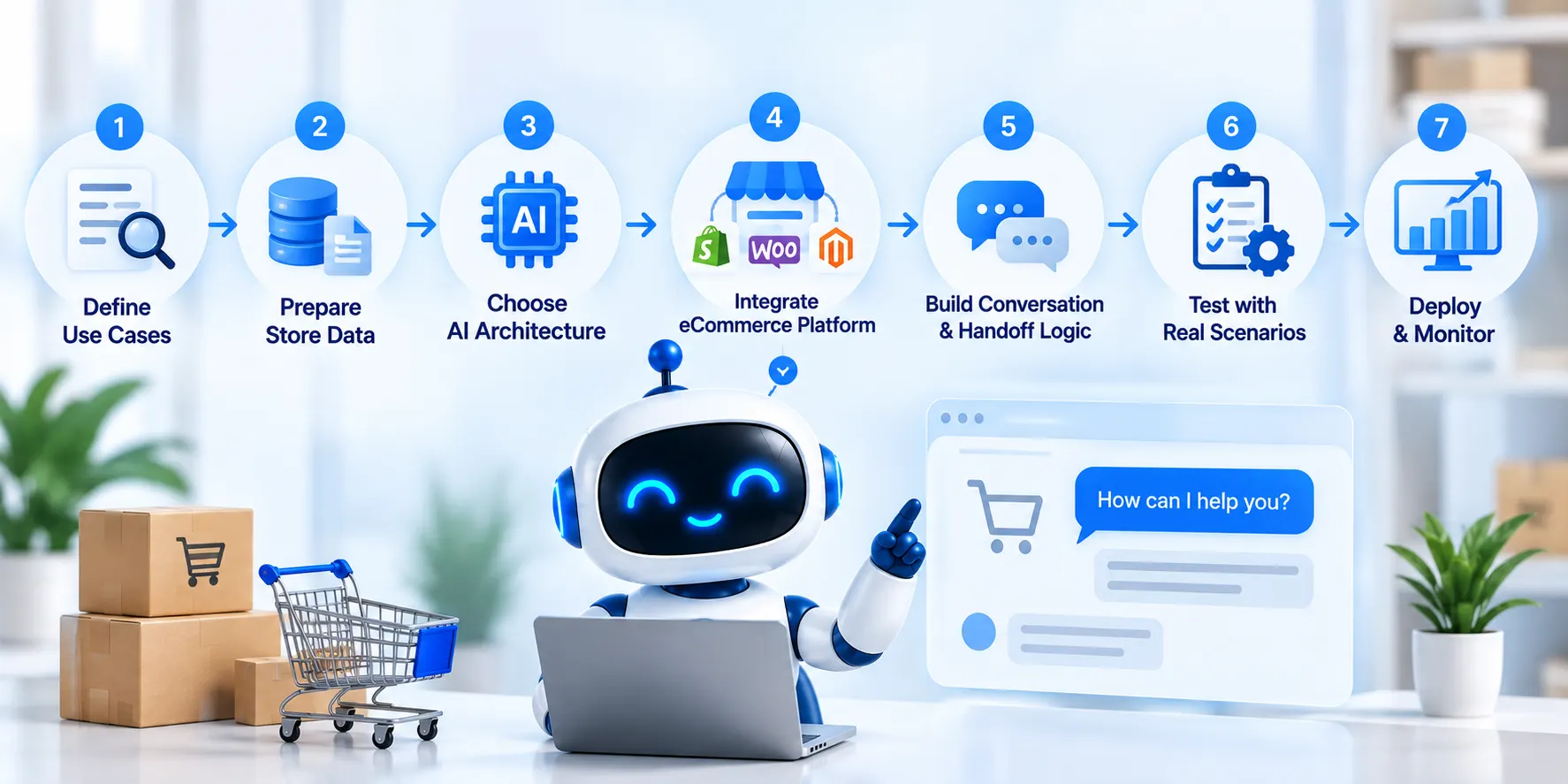
1. Define the support use cases
Start with the questions customers actually ask.
Review existing support tickets, chat transcripts, emails and contact-centre data where available.
Look for recurring requests such as:
- Order status
- Returns
- Shipping
- Product questions
- Warranty
- Availability
This creates a more useful first version than trying to automate every possible support request.
2. Audit the available store data
Identify where the chatbot will get its information.
This might include:
- Product catalogue
- FAQs
- Policies
- Order system
- CRM
- Helpdesk
- Inventory
- Shipping data
Check whether the information is accurate and current before connecting it to the AI system.
3. Select the AI architecture
The architecture may include:
- LLM
- RAG
- Vector search
- APIs
- Business rules
- Authentication
- AI agents
- Monitoring
A simple FAQ chatbot may need only a small part of this stack.
A chatbot that can investigate orders and initiate returns will need considerably more.
4. Connect the eCommerce platform
The application can then connect to the store's APIs and other business systems.
Permissions should be limited to what the chatbot actually needs.
For example, a bot that only needs to read order status should not automatically receive permission to change payment information.
5. Build conversation and escalation logic
Define:
- How the chatbot greets customers
- How it asks for missing information
- How it handles uncertainty
- Which actions it can perform
- When it refuses a request
- When it transfers the conversation
- What information goes to the human agent
6. Test with real support scenarios
Testing should include normal and unusual cases.
For example:
- Customer gives an incorrect order number
- Product is out of stock
- Order is delayed
- Return period has expired
- Customer asks for an exception
- API becomes unavailable
- User attempts to access another customer's information
- Retrieved documentation contains malicious instructions
- Chatbot cannot find a reliable answer
The goal is not simply to see whether the chatbot sounds natural. It needs to behave correctly when the normal workflow breaks.
7. Deploy and monitor
After launch, track useful operational measures such as:
- Conversation volume
- Resolution rate
- Escalation rate
- Failed responses
- Response time
- API usage
- Token consumption
- Customer feedback
- Infrastructure costs
The knowledge base also needs regular updates as products, policies and shipping rules change.
Turn Your Support Workflow Into an AI Chatbot
Have a clear idea of what you want to automate? Discuss your customer-support workflows, store platform, business systems and required integrations to plan a chatbot that fits your existing eCommerce operation.
Common Mistakes to Avoid
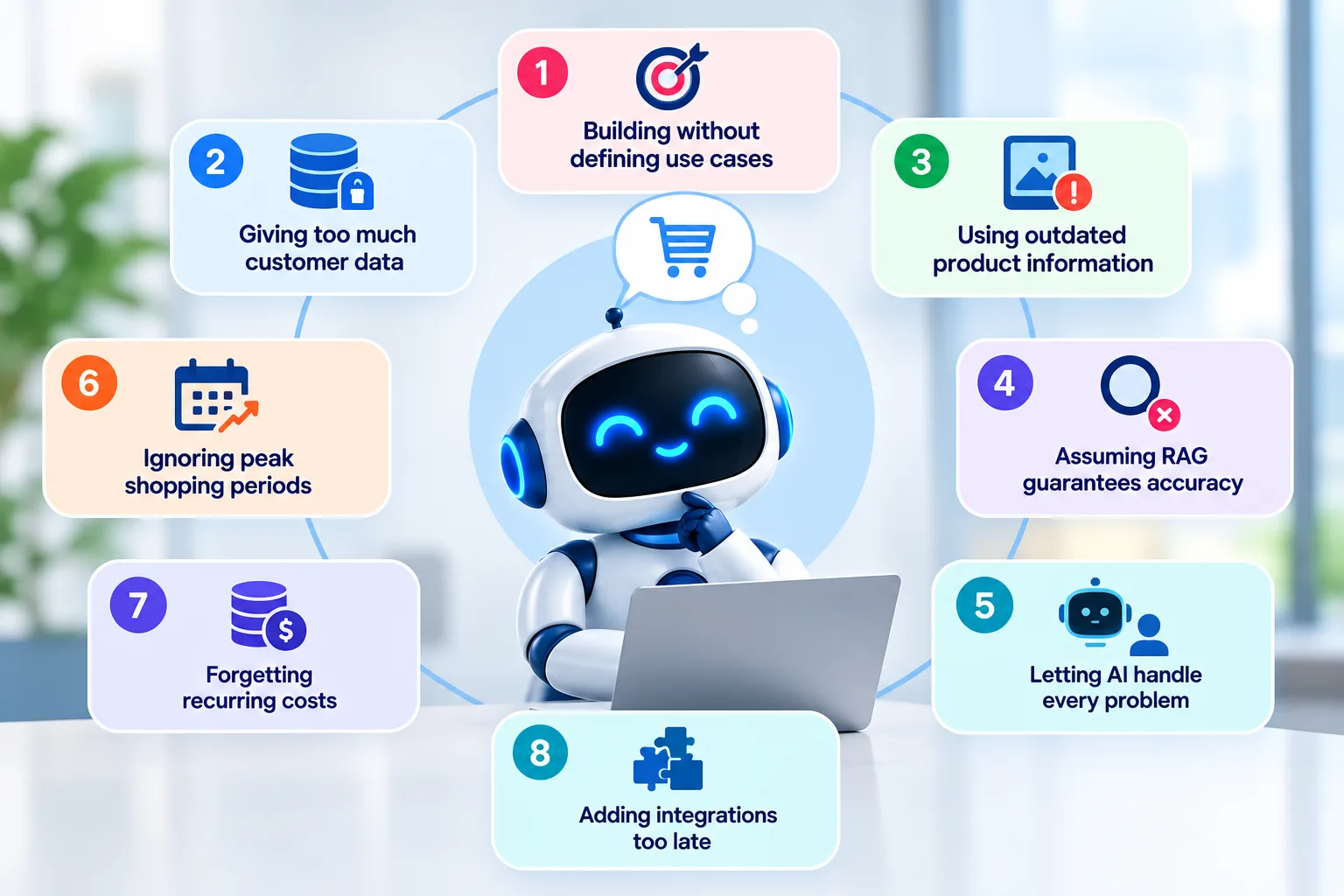
Building before defining support use cases
A vague requirement such as "we need an AI chatbot" can result in unnecessary functionality.
Start with the support problems that are consuming the most time.
Giving the chatbot too much customer data
A chatbot should have access to the information it needs, not every database in the company.
Limited permissions reduce the potential impact of an incorrect request or compromised integration.
Using outdated product information
If the chatbot is working from old product descriptions or shipping policies, its answers can become misleading.
Data maintenance should be treated as part of the chatbot's ongoing operation.
Assuming RAG guarantees accurate answers
RAG can help retrieve relevant information, but retrieval itself needs testing.
Poor document structure, incorrect indexing or irrelevant search results can still lead to bad answers.
Letting AI handle every customer problem
Some cases require human judgement.
A customer disputing a charge or reporting a fraud concern should not necessarily be pushed through an automated workflow simply because the chatbot can understand the words.
Ignoring peak shopping periods
A store that receives moderate traffic for most of the year may see a large increase in support conversations during major sales events and holiday periods.
AI usage, API calls and infrastructure should be estimated with these periods in mind.
Forgetting recurring costs
The development budget is only one part of the total cost.
Model usage, hosting, databases, monitoring and third-party services can continue for as long as the chatbot is running.
Adding integrations too late
If order tracking, returns or customer-account support are part of the original goal, those integrations should be considered during architecture planning.
How to Reduce eCommerce AI Chatbot Development Costs
Cost control starts with scope.
A store does not need to automate every support workflow on day one.
A sensible first version might focus on:
- FAQs
- Product questions
- Shipping information
- Return policy
- Basic order tracking
Once that layer is working reliably, more advanced workflows can be added.
Other ways to control the budget include:
- Use an existing LLM instead of developing a foundation model.
- Start with website support before adding multiple channels.
- Use RAG for changing product and policy information where appropriate.
- Connect only the systems required for the initial use cases.
- Use less expensive models for simple tasks where quality remains acceptable.
- Monitor token usage from the beginning.
- Build the architecture so additional integrations can be added later.
The objective is to avoid paying for complexity that customers do not actually need.
How Much Does an eCommerce AI Chatbot Cost to Run?
The recurring cost can include:
- LLM or API usage
- Cloud hosting
- Database storage
- Vector database
- Document processing
- Monitoring and logging
- Messaging platforms
- Voice services
- Security monitoring
- Maintenance
Monthly costs are influenced by the number of conversations and the amount of work performed during each conversation.
A chatbot answering 10,000 short FAQ questions is a different workload from an AI assistant handling 10,000 conversations that each retrieve documents, query an order system and call several external APIs.
For that reason, it is better to estimate operating costs from expected usage than to assume a fixed monthly price.
A useful cost model should consider:
Monthly conversations × average tokens × model pricing + infrastructure + third-party services
This will not produce an exact bill before the system exists, but it gives the development team a reasonable basis for modelling expected usage.
When Does an eCommerce Business Need a Custom AI Chatbot?
A ready-made chatbot may be enough if the store mainly needs:
- FAQ answers
- Basic product information
- Simple lead capture
- Basic customer support
Custom development becomes more useful when the chatbot needs to work with:
- Live orders
- Customer accounts
- Inventory
- Product catalogues
- Returns
- CRM systems
- Helpdesk platforms
- ERP systems
- Multiple communication channels
- Custom business rules
- Multilingual support
- AI-driven product assistance
The deciding factor is usually the workflow.
If customers only need information, a simpler solution may be sufficient.
If the chatbot needs to retrieve private information or perform actions, custom development becomes more valuable because the application needs its own integrations, permissions and business logic.
Customer Support AI Chatbot Development for eCommerce
For eCommerce businesses, Nyusoft develops custom conversational AI systems for customer support, product assistance, order tracking, and connected business workflows.
The AI chatbot development services offered by the company include customer-support chatbots, eCommerce virtual assistants, LLM-based conversational AI, multichannel deployment and CRM/ERP integration.
For projects that need private product information, RAG or other generative AI capabilities, generative AI development can be considered as part of the wider architecture.
The right development budget depends on the store's product catalogue, support volume, integrations, customer data, required channels and the actions the chatbot needs to perform. Defining those requirements before development makes it much easier to estimate both the initial build and the ongoing operating cost.
FAQs
1. What is a customer support AI chatbot for eCommerce?
A customer support AI chatbot for eCommerce is an AI-powered system that answers customer questions, provides product information, tracks orders, assists with returns and can hand complex issues to human support agents.
2. How much does it cost to develop an AI chatbot for eCommerce?
The cost can range from around $2,500 to $15,000+, depending on features, integrations, AI architecture, customer authentication, supported channels, security requirements and business workflows.
3. What features should an eCommerce AI chatbot have?
Common features include product and FAQ support, order tracking, returns and exchanges, product recommendations, customer account assistance, multilingual support, multichannel communication and human handoff.
4. Can an AI chatbot track customer orders?
Yes. An AI chatbot can retrieve live order information by connecting to the eCommerce platform, order management system or shipping provider. Customer authentication may be required before displaying personal order details.
5. Can an eCommerce chatbot handle returns and exchanges?
Yes. Depending on the integration, the chatbot can explain return policies, check order eligibility, collect return details and start a return or exchange workflow.
6. Can an AI chatbot integrate with Shopify, WooCommerce and Magento?
Yes. Custom AI chatbots can integrate with platforms such as Shopify, WooCommerce and Magento through APIs and supporting integrations. The exact capabilities depend on the store's architecture and required workflows.
7. Does an eCommerce AI chatbot need access to customer data?
Not always. A chatbot answering general product or policy questions may need no personal customer data. Features such as order tracking, account assistance and personalised support require controlled access to relevant customer information.
8. Can an AI chatbot provide product recommendations?
Yes. It can use product attributes, availability, pricing and customer preferences to suggest relevant products. Good product data is important for producing useful recommendations.
9. How long does it take to develop an eCommerce AI chatbot?
The development period typically ranges from 4 to 16 weeks, depending on the chatbot's features and integration requirements.
- Basic AI chatbot: 4–6 weeks
- Custom eCommerce chatbot: 6–10 weeks
- Advanced chatbot: 10–16 weeks
- Enterprise-level chatbot: 16+ weeks
A chatbot with product data, order tracking, customer authentication, multiple integrations, RAG, multilingual support and advanced workflows will generally require more development and testing time.
10. When should an eCommerce business choose a custom AI chatbot?
A custom chatbot makes sense when the business needs live order information, customer authentication, personalised product assistance, return workflows, multiple integrations, multilingual support or custom business rules that standard chatbot tools cannot handle.
Ready to Build Your eCommerce AI Chatbot?
Whether you need product support, live order tracking, returns assistance or personalised customer conversations, start with a clear development plan based on your store, integrations, customers, and support requirements.